
Monthwise is a calm, private way to see where your money goes each month. Record purchases in seconds, keep track of your bills, set a budget, and see how your spending changes over time. Monthwise has no account and no sign-up, and your data stays on your device.
SEE YOUR MONTH AT A GLANCE
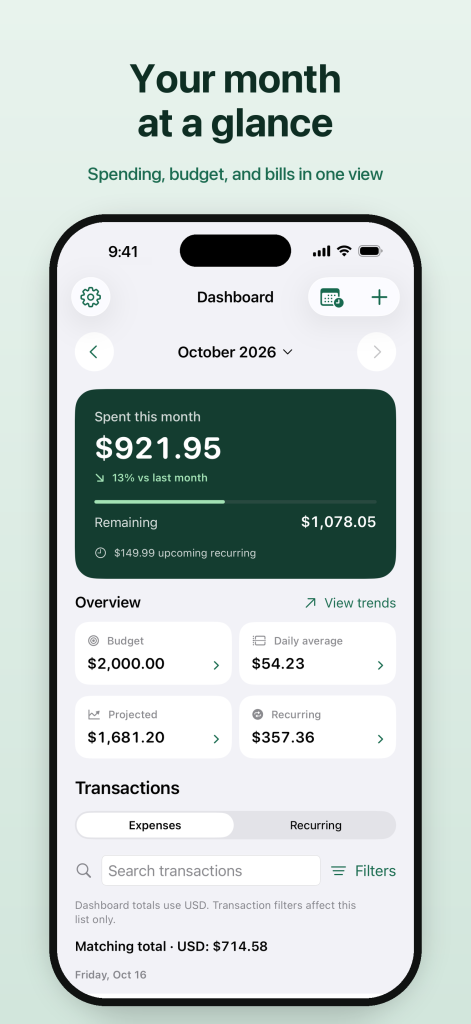
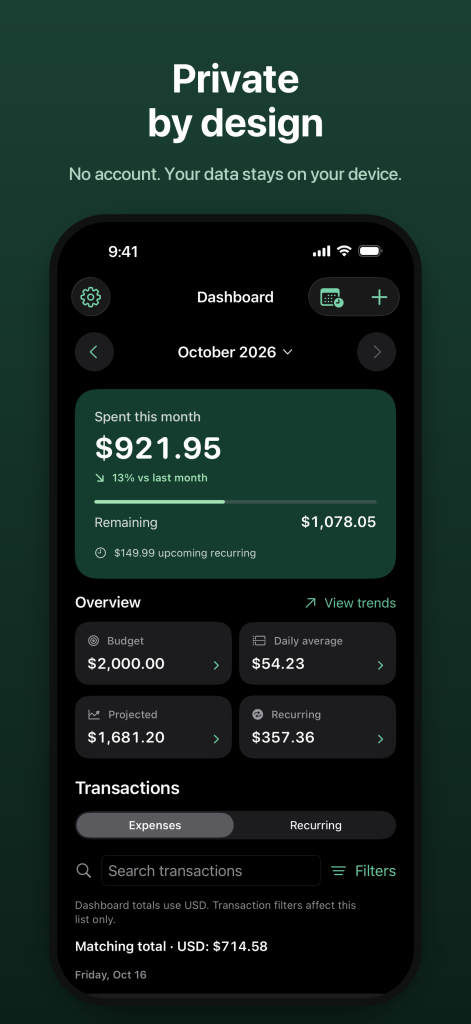
• Spending, remaining budget, daily average, and a projection for the month
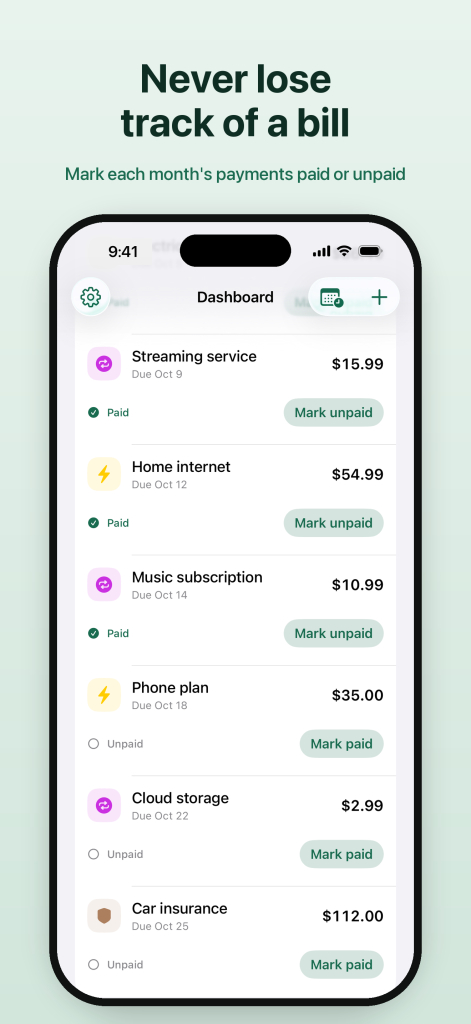
• Recurring bills for the month, with paid and unpaid status
• Move between months to review any period in your history
STAY ON BUDGET
• Set a monthly spending limit for each currency
• See right away how much is left, or how far over you are
• Your budget carries into later months until you change it
NEVER LOSE TRACK OF A BILL
• Add rent, subscriptions, and other monthly payments with a billing day
• Mark each month’s payment as paid or unpaid
• Paid history keeps the amount you actually paid, even if you edit the bill later
• Bills due on the 31st fall on the last day of shorter months
SCAN RECEIPTS
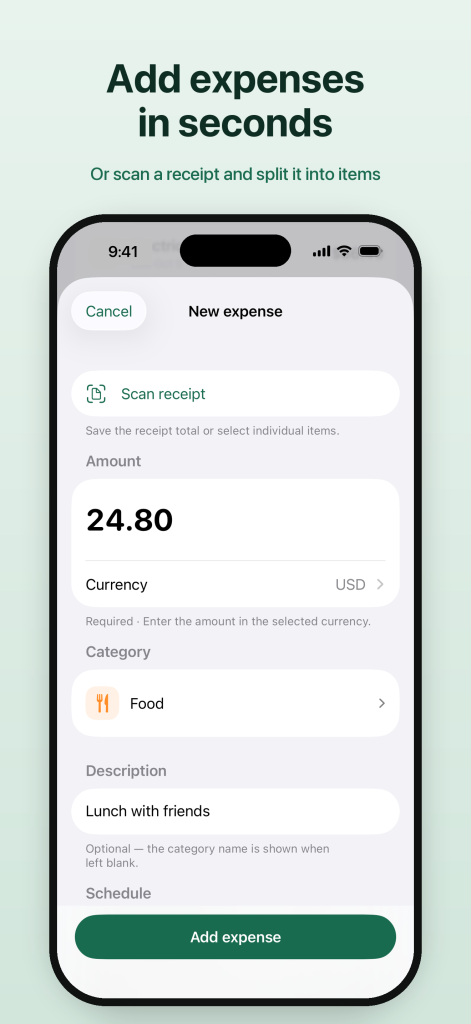
• Use the camera or your photos to read a receipt on your device
• Save the receipt total as one expense, or split it into individual items
• Check the merchant, date, currency, and line amounts before you save
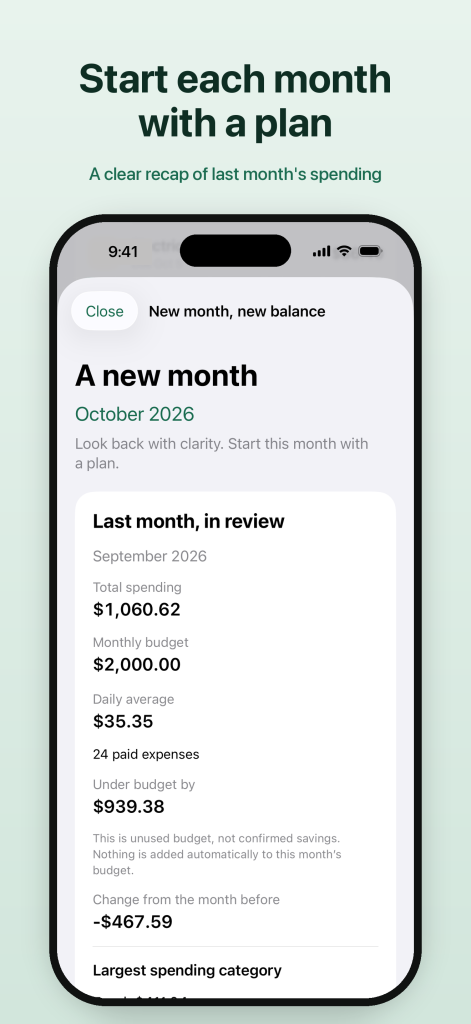
START EACH MONTH WITH A PLAN
• Get a recap of last month’s spending and budget result
• See what’s left after your unpaid bills for the new month
UNDERSTAND YOUR HABITS
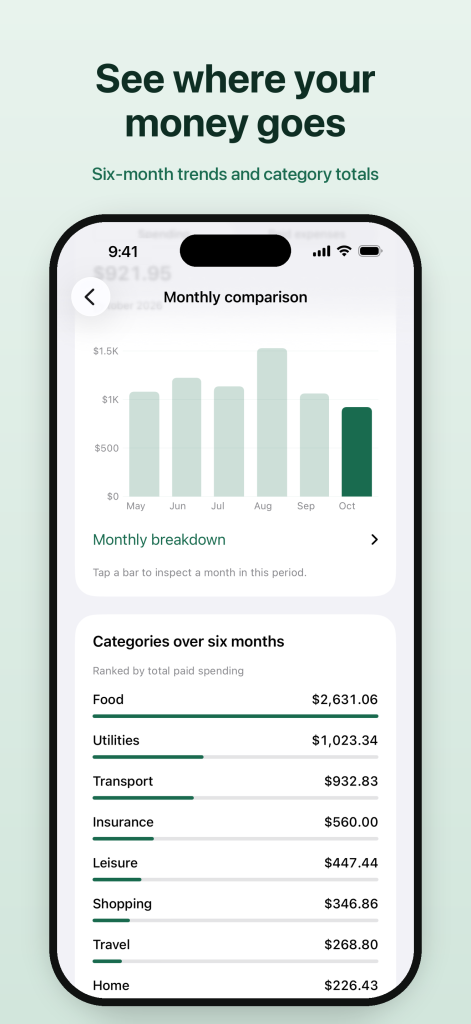
• Compare a month with the month before, broken down by category
• Six-month trend charts with totals, averages, and your largest expenses
• A text breakdown of each chart for VoiceOver users
FIND ANY TRANSACTION
• Search by description or category
• Filter by date range, category, currency, or payment status
MADE FOR iPHONE AND iPAD
• iPad sidebar layout and full hardware keyboard shortcuts
• Home Screen widgets for this month’s spending and budget
• Siri and Shortcuts: “Add an expense in Monthwise” or “Check my remaining budget in Monthwise”
• A quick action on the app icon to add an expense
PRIVATE BY DESIGN
• No account, no sign-up, no cloud sync of your expense data
• Optional Face ID or Touch ID app lock
• Receipt text is recognized on your device
YOUR DATA, UNDER YOUR CONTROL
• Export a full JSON backup to Files and restore it on any device
• Import and export CSV spreadsheets, with column mapping for files from other apps
• Automatic recovery copies and data health checks
MAKE IT YOURS
• Choose an accent color and a Classic, Soft, or Minimal style
• Light, Dark, or System appearance
• Supports many currencies, with correct decimal precision for each
Monthwise requires iOS or iPadOS 26 or later.